Got a Trados package and no Trados? Here is how to handle it
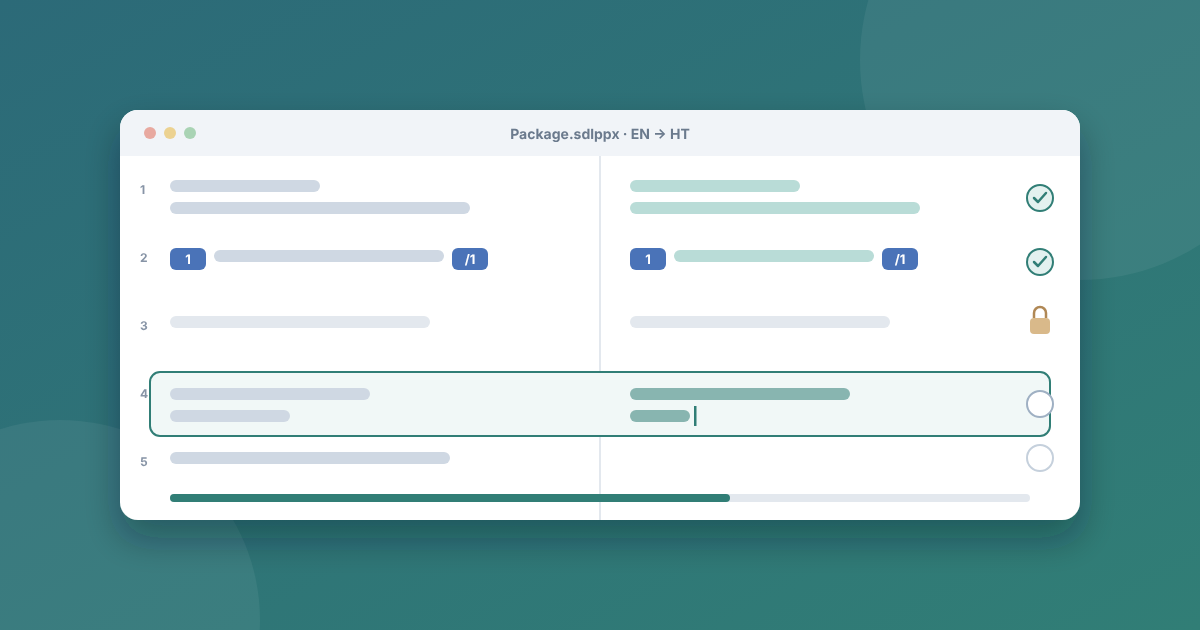
A Trados package is one file that a client or agency builds in Trados Studio and sends to you. If you have never owned Studio, the first one can feel like a locked box. It is not: a package is a ZIP with documents inside and a standard way to send your work back.
This guide explains what is in it, your options for working on it, what to check before you type a word, and how to return it so your client can use it.
What a package actually is
A project package has the extension .sdlppx. Inside are the source documents, one bilingual file for each document (an SDLXLIFF, where your translation goes), and the project settings. Some packages also carry translation memory matches.
When you finish, your work travels back as a return package, with the extension .sdlrpx. The client's Studio merges it into their project and builds the final files.
Your options when you do not own Trados
- Buy or trial Trados Studio. It is what the client uses, so there are no surprises. It is also a real cost if you only get a package now and then.
- Ask for another format. Some clients will send XLIFF or a bilingual Word file instead. Many will not, because the package holds locked segments, match rates and settings they need back.
- Use a tool that reads packages. Mars Linguistics opens
.sdlppxfiles and builds the.sdlrpxreturn package. It is free during early access.
Whatever you choose, ask the client first whether they accept the return package from your tool. A short email saves a bad surprise at delivery.
Five things to check before you translate
- Counts. Compare the segment and word totals with the quote you accepted. A big gap means something is locked or repeated.
- Locked segments. Project managers lock segments they do not want changed, such as exact matches or text that must stay as it is. Leave them untouched.
- Pre-translated segments. A segment with a match percentage already has text from a memory. Read it. Do not confirm it blindly, because a 95% match can still be wrong.
- Segments with no text. Some segments hold only tags, for example around a logo or a tab. There is nothing to translate; leave them.
- Tags. Bold, italic, links and fields are stored as numbered tags inside the segment. See the next section.
Tags are the part that bites
A tag marks where formatting starts and stops. If a tag goes missing in your translation, the client's final file loses that formatting, such as a bold heading or a link. If tags end up in the wrong order, the file can break when it is rebuilt.
Three habits prevent most problems:
- Never delete a tag. Move it so it surrounds the translated words it belongs to.
- Copy the source into the target first if the sentence has many tags, then replace the words between them.
- Run a tag check before you return anything. Do not trust your eyes at the end of a long day.
Returning the package
- Confirm every segment you translated. The status should say translated, not draft. A package full of drafts looks unfinished to the client.
- Resolve empty targets and tag errors. In Mars, the export stops while any empty target, formatting-tag error or unconfirmed segment is left. This is on purpose.
- Keep the file name the client expects, unless they ask for something else.
- Tell the client what you did. One line is enough: the counts, anything you left untouched because it was locked, and any question you could not settle.
Before your first real job with a new tool, send the client a small test package and ask them to open the return package in their Studio. Do this with any tool, ours included.
Where Mars fits
Mars Linguistics opens the package, shows the source with its tags, protects locked segments, and hides segments that have no text. It shows match percentages on pre-translated segments, runs quality checks, and builds the return package.
It can also build translated Word files from the documents inside the package, so you can read your work the way a reader would. Treat those files as a check, not as the final delivery: text in some text boxes and page-number fields stays in the source language.
We are in early access, so tell us what breaks.
A checklist to keep
- The client accepts a return package from my tool
- Segment and word counts match the quote
- Locked and no-text segments left alone
- Pre-translated segments read, not just confirmed
- No tag deleted; tag check run
- Every translated segment confirmed
- File name as the client expects
- A short note to the client with the counts
For the blog editor
- Summary (under 160 characters): What a Trados package is, what to check before translating, and how to return it, even if you do not own Trados.
- Topics: Trados, Freelance translation, Workflow
- Web address: trados-package-without-trados
- Cover description: A closed cardboard box with a ribbon of colored tags coming out of it.
- Before you publish: send a small test package through your client's Studio, since this article tells readers to do the same.